During a pentest, you often gather a significant amount of evidence related to each finding, from screenshots and logs to configuration details. Manually adding each piece of evidence can be time-consuming and prone to errors, especially for findings with numerous supporting documents. To streamline this process and ensure all crucial details are captured efficiently, you can import additional evidence for your audit findings directly from an Excel (.xlsx) file. This allows you to quickly update and enrich your findings with comprehensive data.
You can easily import additional evidence for your audit findings. This process can be done by manually uploading xlxs files.
1. Go to "Pentests" in the left-hand menu.
2. Click on the relevant Pentest.
Activate the Grid
3. Navigate to Actions > Settings > Findings and set "Display Evidences" to "Grid (Best for large amount of evidences, Import evidences)".
4. Move to the "Findings" Menu in the Pentest Dashboard.
5. Click on the specific finding you wish to add evidence to.
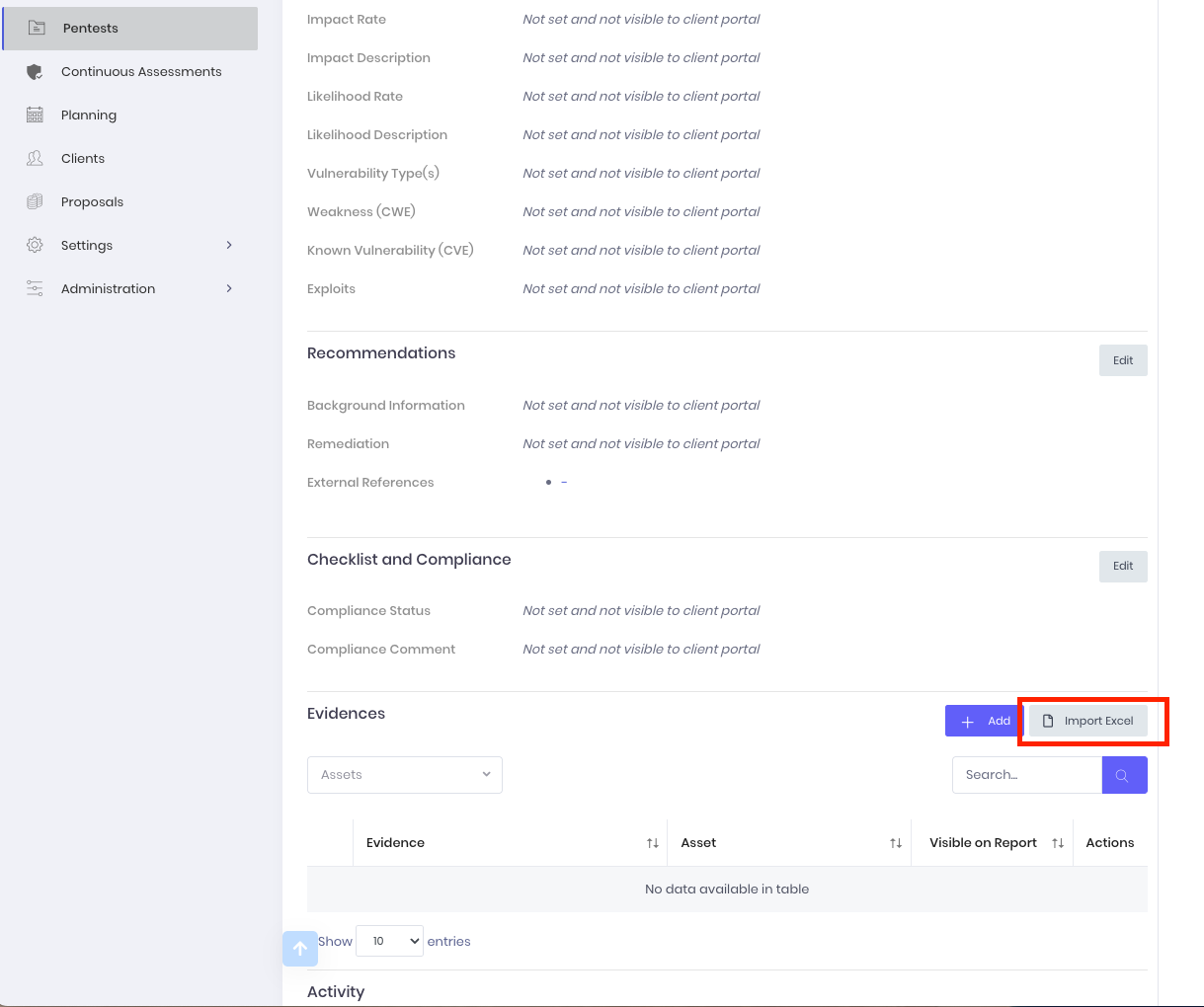
6. Click the "Import Excel" button next to the "Evidences" heading.
Upload File
7. Choose the file from your hard drive or drag and drop it to the Dashboard.
8. Wait for the file to upload.
Options
9. Update the settings in the "Options" section:
- Asset Matching: Automatically associate imported evidence with assets.
The importing also matches the IP with the Finding CIDR Range asset, if any.
Select Evidences
10. Select specific evidences to upload.
Confirm & Import
11. Confirm the import. This may take a few minutes.
Results
12. Once complete, click "Close".
13. You can manually edit evidence details by using the Actions (three dots ...) next to the evidence entry.
Evidences Field Mapping
| Field | Example |
| Evidence Title | Title |
| Evidence Location | Location |
| Evidence Version | Version |
| Evidence IP | IP |
| Evidence Port | Port |
| Evidence Protocol | Protocol |
| Evidence Reproduction | Reproduce |
| Evidence Results | Results |
| Evidence Issue Details | Issue details |
| Asset Title | Asset |
Download a sample file here.